Trade BTG on Binance Alpha
This page places the order. The market is BTG/USDT, and the token is the BSC contract verified earlier. Read the fee and the order preview before you confirm.
Before you start
- The BTG token page open in Binance Alpha, with the contract from Check the BTG Contract.
- USDT in the Alpha account for a buy, or BTG in the Alpha account for a sell.
- A clear limit price. Do not use an order type you do not understand.
- The token page's risk-control notice read. If instant orders are suspended, use a limit order.
Open the BTG market
1. Open the app and search
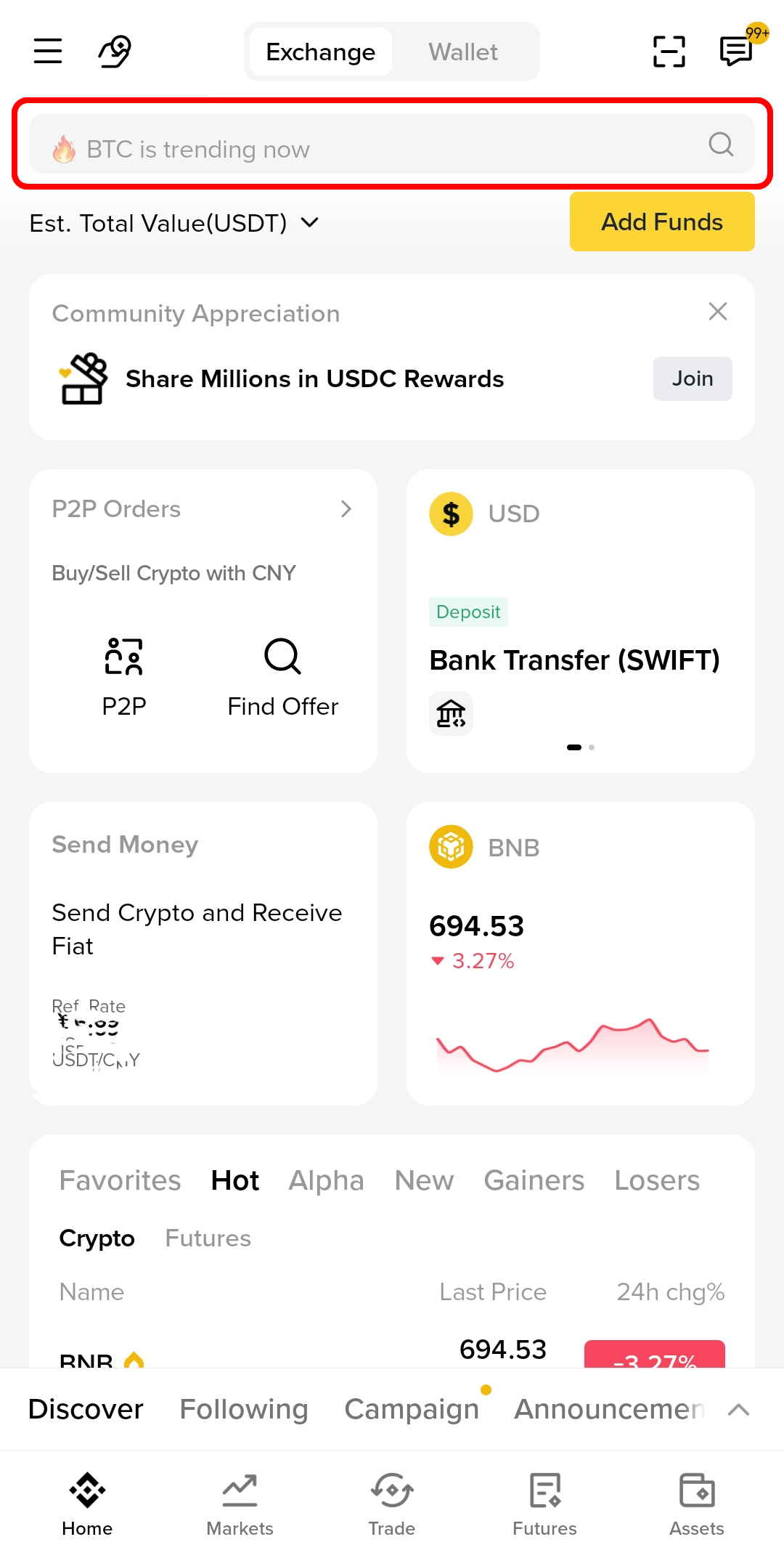
Open the Binance app and use the search field on the Exchange home. Enter BTG.
2. Choose the Alpha token
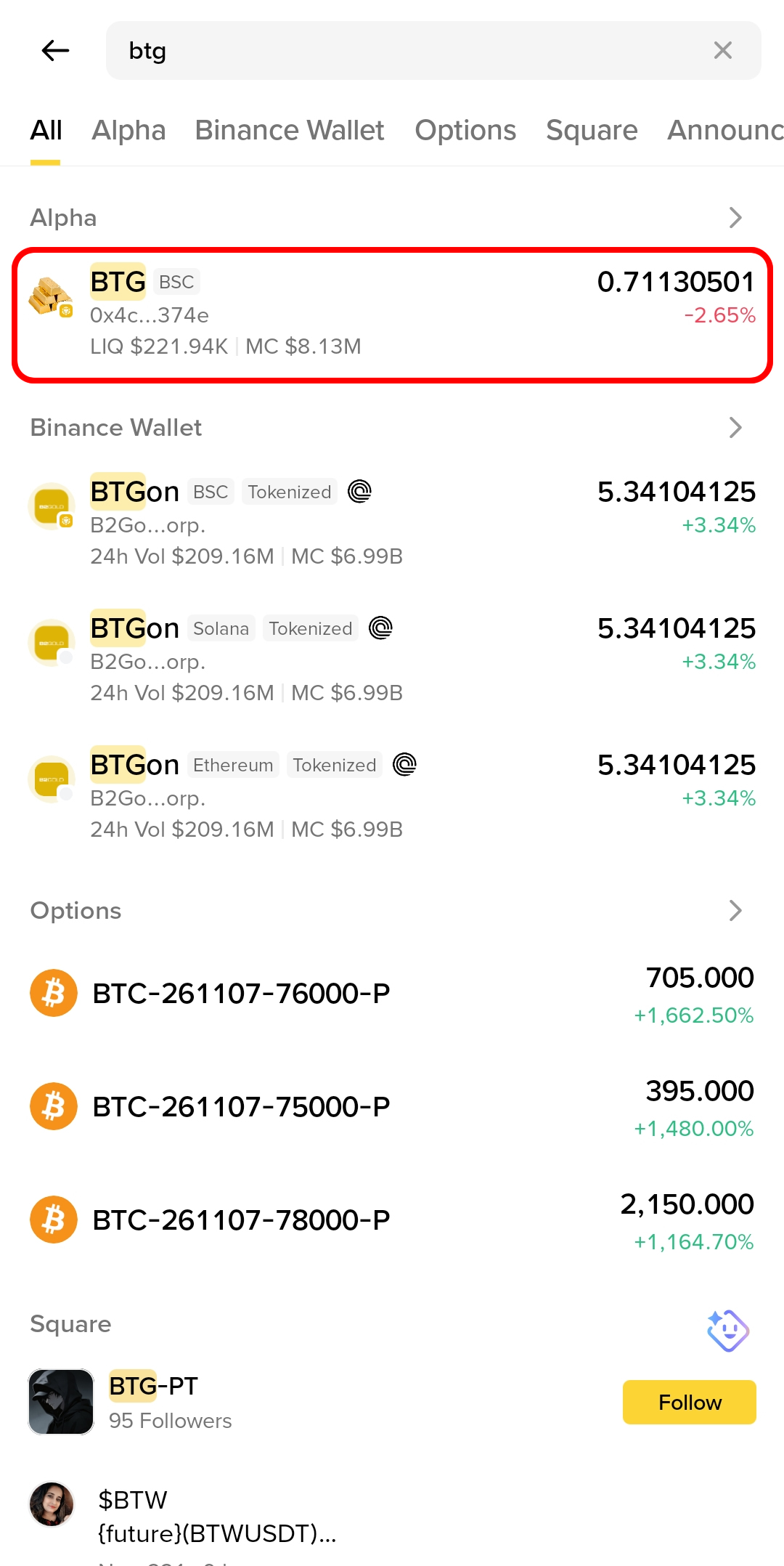
In the results, open the Alpha section and choose the BTG row marked BSC with the contract beginning 0x4c… and ending 374e. Ignore other tokens with BTG in their names.
3. Open the token page
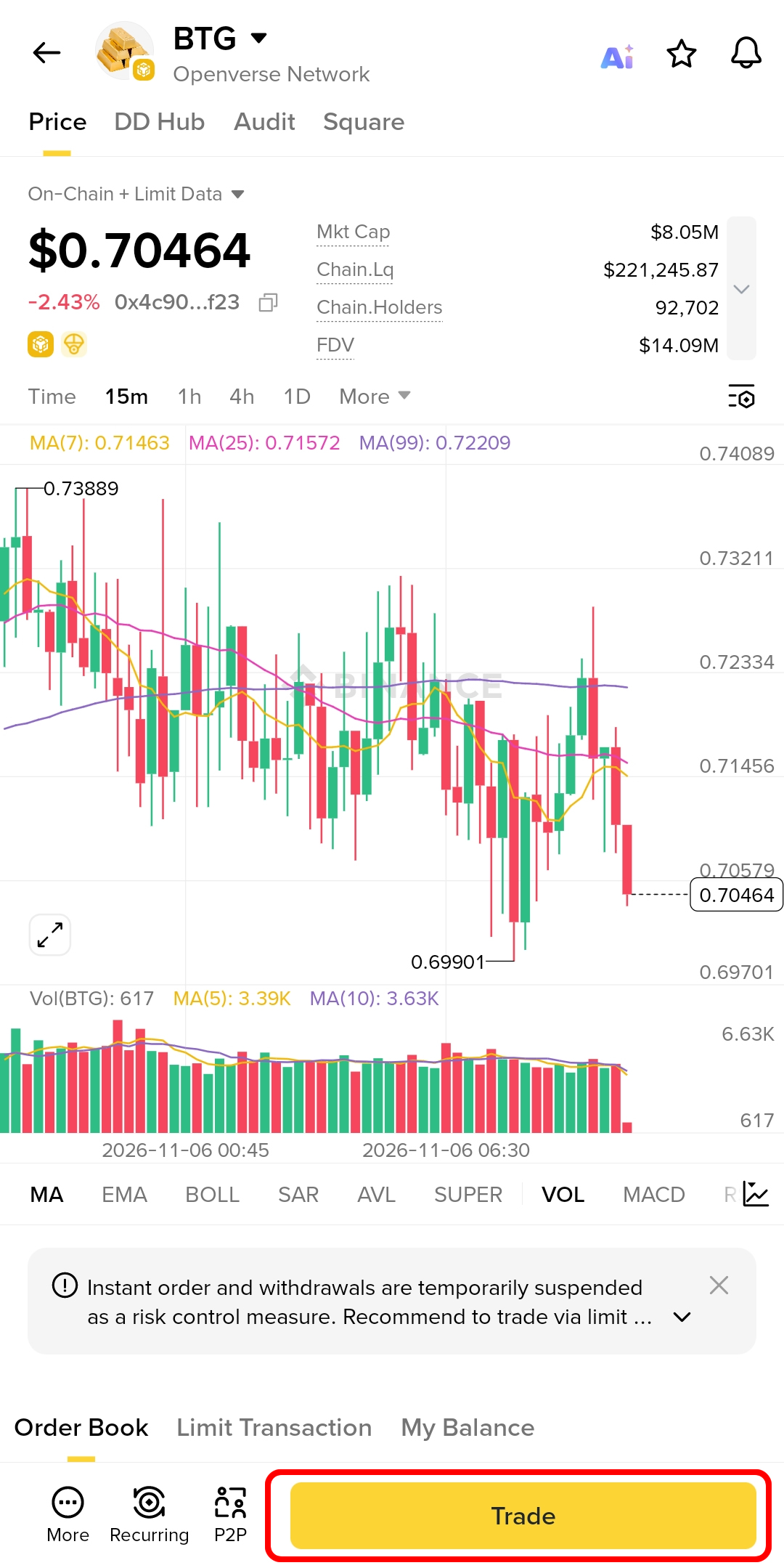
Confirm BTG, Openverse Network, the contract, and the BSC chain, then tap Trade.
Buy BTG
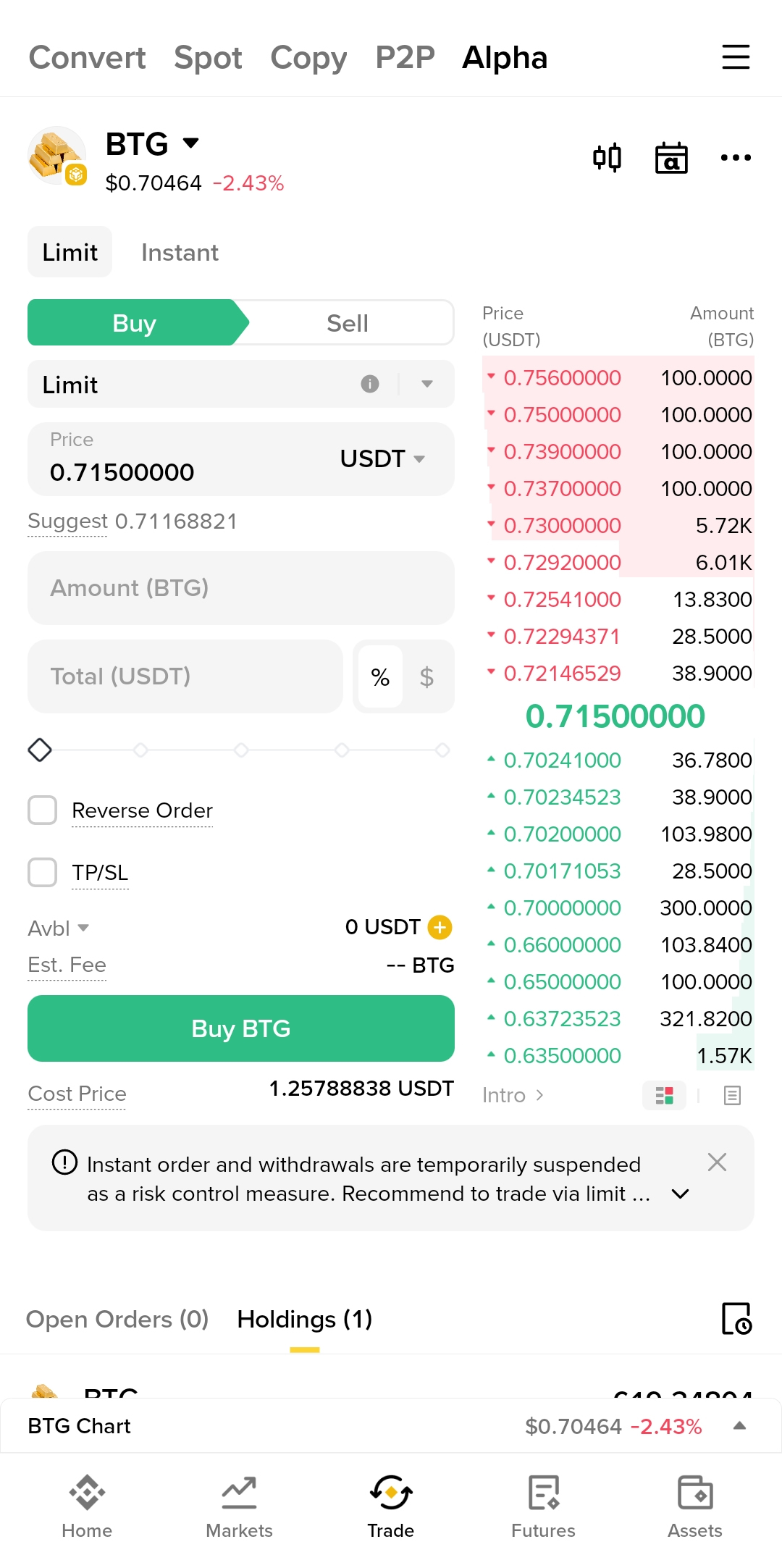
- On the BTG token page, select Buy.
- Choose Limit unless the page clearly offers an instant option you understand. A limit order sets the maximum price you will pay.
- Enter the price in USDT and the amount in BTG. The total is calculated for you.
-
Check the fee and the order preview. The fee is shown before confirmation; it is not zero unless the page says so.
-
Confirm the order. It may rest on the order book instead of filling immediately.
- Check Open Orders and Order History. A partial fill leaves the remainder open until it fills or you cancel it.
Sell BTG
- Select Sell and choose Limit.
- Enter the price in USDT and the amount of BTG. You cannot sell more than the Alpha account holds.
- Check the fee, the total, and the order preview.
- Confirm, then watch the order status. A sell that does not fill can be cancelled, but a filled sell is final.
Order types in plain language
- Limit: buy or sell at a chosen price or better. It may not fill.
- Stop Limit: triggers a limit order when a trigger price is reached. It is not a guarantee of execution.
- Instant: fills against available liquidity at the current price, if the venue offers it. The BTG page may suspend instant orders as a risk-control measure; follow the notice.
If you are unsure, use a small limit order first and confirm that the fill appears in your holdings.
Fees and minimum size
The venue shows the fee and the minimum order size on the order form. Fees and limits can change. Do not rely on a screenshot or a social post for the current numbers.
After the order
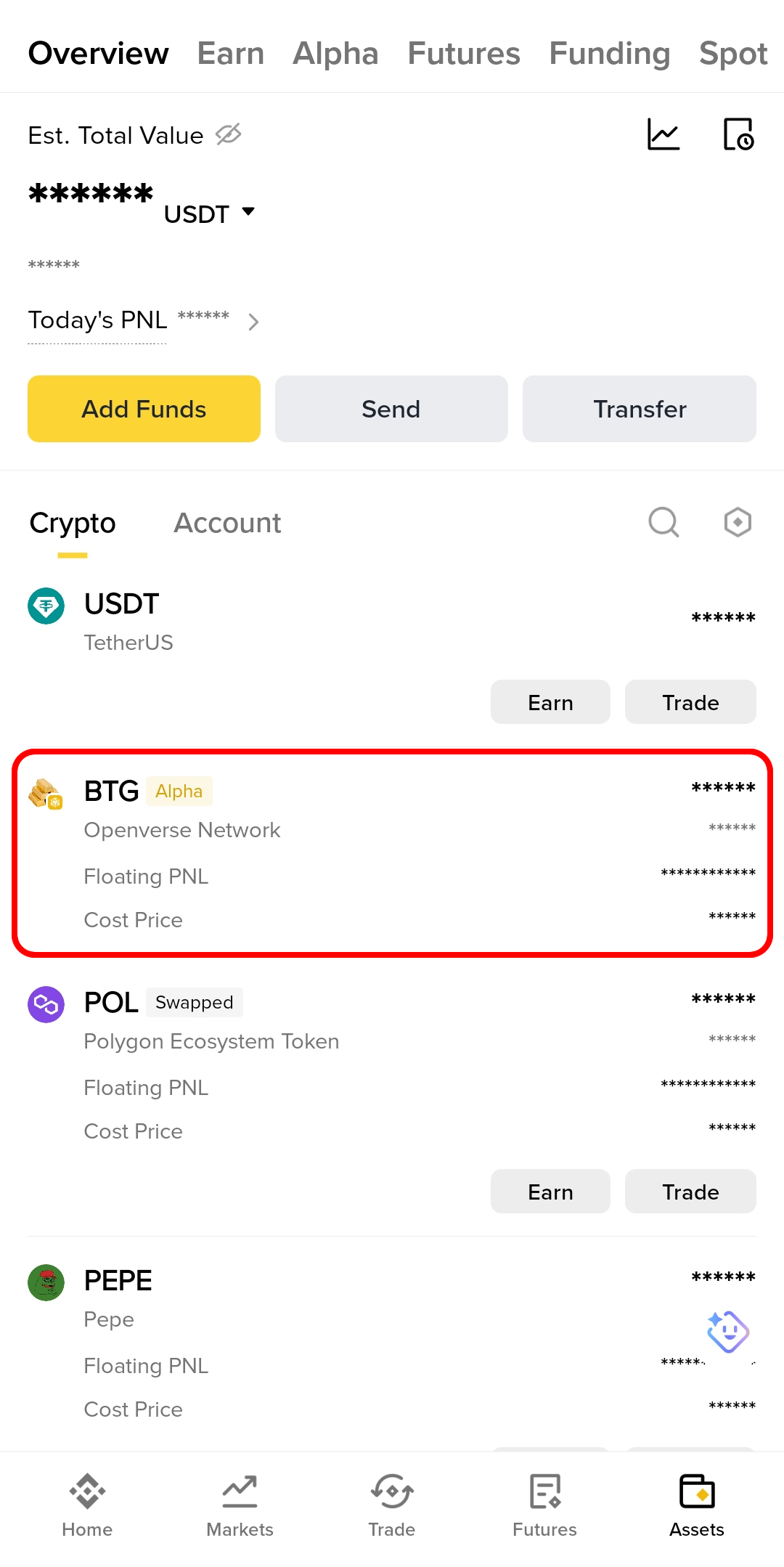
- Holdings shows the BTG balance in the Alpha account.
- Order History shows filled, partially filled, and cancelled orders.
- To move BTG out, use the Alpha withdrawal or transfer flow. Confirm the destination network is BSC chain
56and the address is the BSC token address you intend. - For native BTG, use a Bitgold wallet on chain
618; the BSC token is a different asset. See BSC BTG vs Native BTG.
Verify it worked
- The order appears in history with the expected price, amount, and fee.
- The BTG balance in Holdings matches the filled amount.
- A withdrawal or transfer shows the correct BSC destination and a transaction hash.
- The transaction hash resolves on BscScan for a BSC transfer.
Troubleshooting
| Problem | What to do |
|---|---|
| The order does not fill | A limit order waits for the market. Check the best price and either wait, adjust the limit, or cancel. |
| The order form says insufficient balance | Buy: add USDT to the Alpha account. Sell: confirm the BTG is in the Alpha account, not in Binance Wallet. |
| The fee is higher than expected | Fees depend on the venue and your account. Review the preview before confirming; cancel if it is unacceptable. |
| The token page shows a risk notice | Read it. If instant orders are suspended, use limit orders and expect withdrawals to follow the stated schedule. |
| A withdrawal is stuck | Copy the transaction hash and check BscScan. If there is no hash, the venue has not broadcast it; use official support in the app. |
Next step
Trade BTG on Binance Wallet — swap from the self-custody wallet instead, or Trade on Binance Web for the same order book in a browser.