Add a Custom Token
After this page you can make a Bitgold token visible in TokenPocket by importing its contract address, and you will know why that changes nothing about its value.
Who this is for
You received a token on Bitgold that TokenPocket does not list. Skip this page if the token already appears, and do not import BTG itself: BTG is the native coin, not a token.
Before you start
- The token's contract address, copied from the issuer's official site or documentation. A contract address from a chat message, a comment, or a "support" account is not a source.
- The token's symbol and decimals from the same official source. Do not accept values a stranger gives you.
- Bitgold Mainnet selected in the wallet. A token imported on another network will not show your Bitgold balance.
Steps
1. Open token management
On the wallet home screen, look for Add Token, Manage Tokens, or a plus icon near the asset list. Menu labels vary by version, so the control may be inside the wallet's settings instead. MetaMask calls the equivalent control Import tokens; the wording differs, the result is the same.
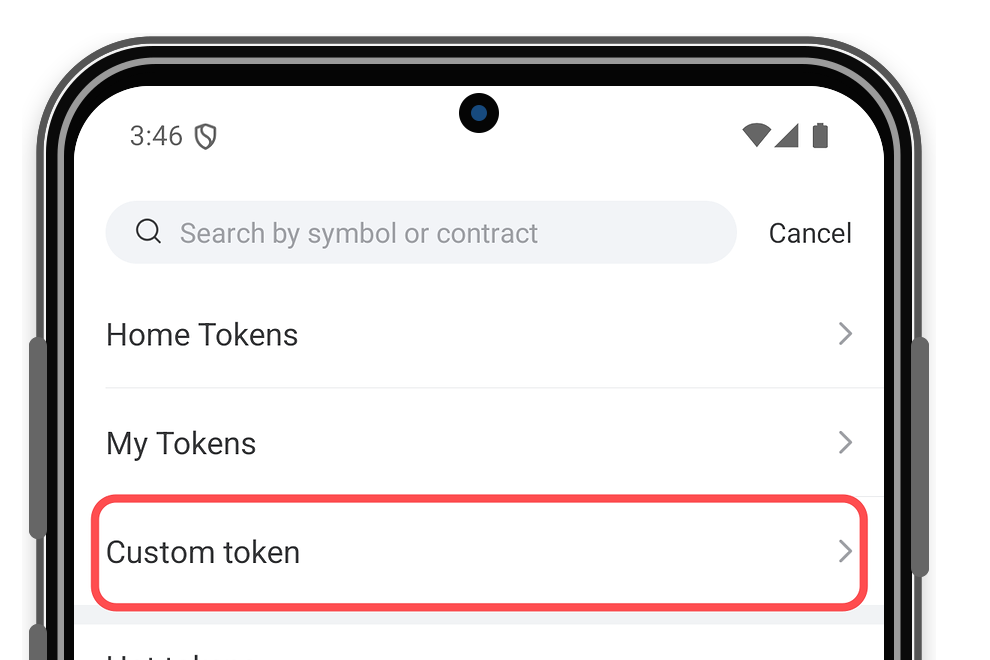
2. Choose a custom token
Select Custom Token, or the option that asks you to enter a contract address. Confirm the selected network is Bitgold Mainnet before you paste anything.
3. Paste the contract address
Paste the address and compare it with your official source character by character. The wallet may fill in the symbol, name, and decimals automatically. If those values disagree with the official source, stop: the address may belong to a copycat contract.
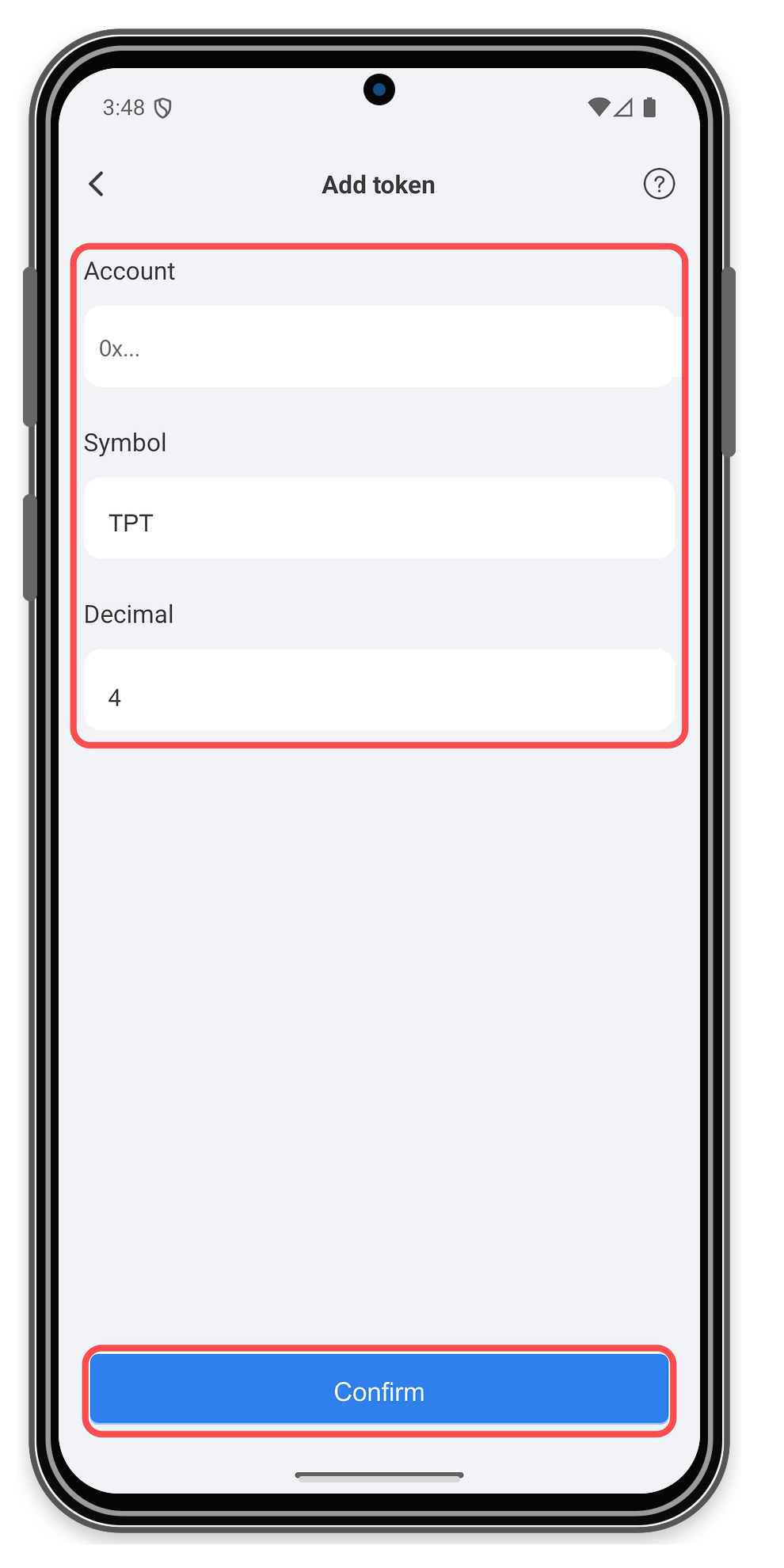
4. Confirm and check the display
Confirm the import. The token appears in the asset list with a balance. Open its details and check that the contract address matches your source.
Adding a token is a display change on your phone. It sends no transaction, spends no gas, and does not create or transfer value.
Verify it worked
- The token row shows the symbol and amount you expect.
- The contract address in the token's details matches the official source exactly.
- The token page on www.bitgold.live shows the same contract and your address.
Troubleshooting
| Problem | What to do |
|---|---|
| The token does not appear after import | Check that Bitgold Mainnet is selected and that the contract exists on chain ID 618. A testnet contract will not appear on mainnet. |
| The symbol or decimals differ from the official source | Remove the token and re-add it with the verified address. A matching symbol does not prove a matching contract. |
| A token you never bought appears in the list | Anyone can send a token to any address. Do not interact with it, open links in its name, or approve it; see Fake Token Scam. |
| The token shows a balance but cannot be sold | The contract may charge a transfer tax or block sales. Treat it as a fake until the issuer's official documentation proves otherwise. |
Next steps
- Add a Custom Token (MetaMask) — the same task in a browser wallet.
- What Is a Custom Network? — how the network profile decides which tokens you see.