Add Bitgold Network
After this page, Binance Wallet will list Bitgold Mainnet, show a BTG balance at your address, and open the right explorer links.
Who this is for
Binance Wallet users on the mobile app who need chain ID 618. If you use the browser extension, follow Add Bitgold Network instead; the two clients keep separate network lists.
Before you start
- Binance Wallet app version
3.9.0or later. Older builds do not show the Custom Networks tab. - A wallet that opens and is backed up. See Set Up and Back Up if not.
- The five values below. Copy them rather than retyping from a screenshot.
Network fields
| Field | Value |
|---|---|
| RPC URL | https://mainnet1.bitgold.network |
| Network name | Bitgold Mainnet |
| Chain ID | 618 |
| Symbol | BTG |
| Blockchain explorer | https://www.bitgold.live |
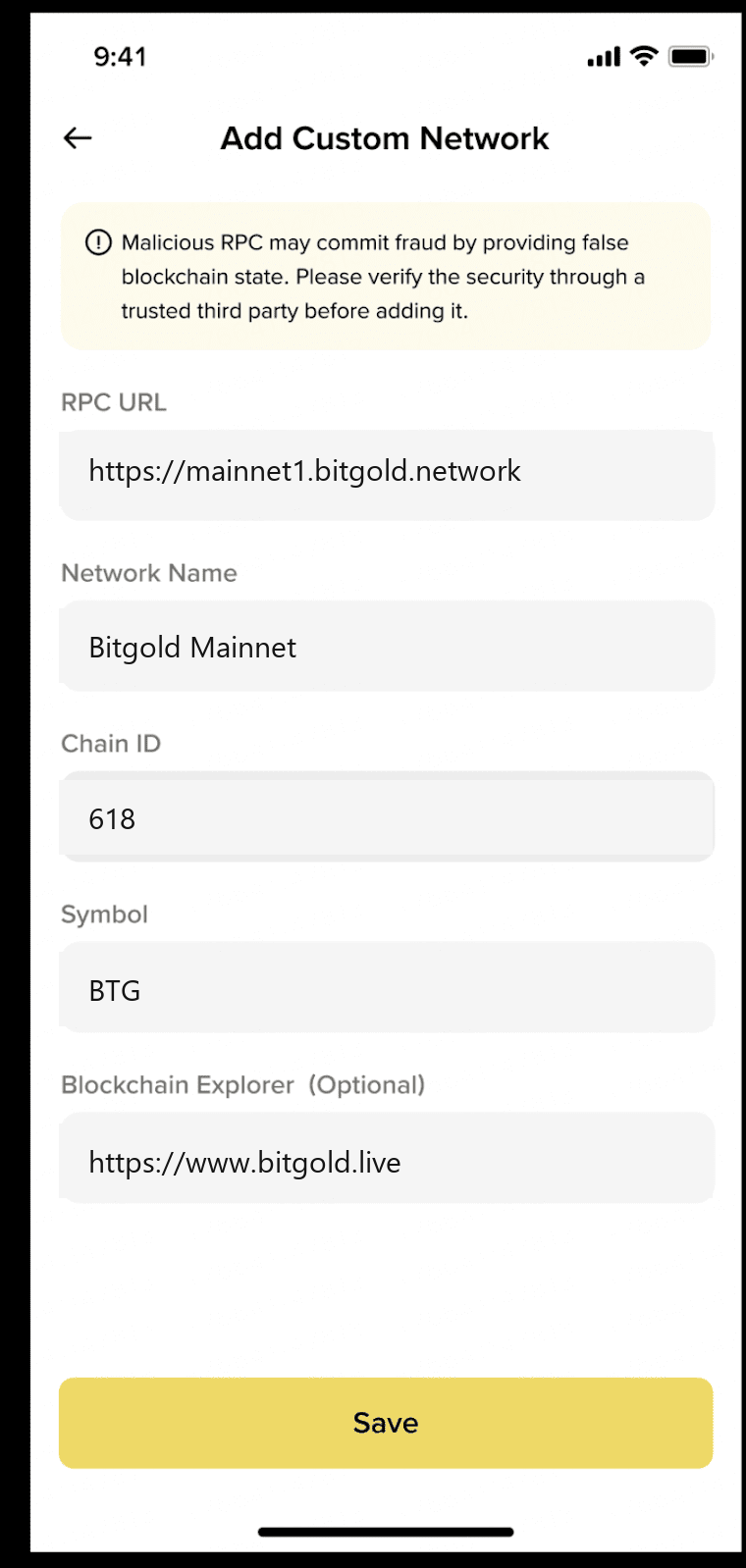
Steps
1. Open Custom Networks
Use either path:
- Settings → General → Custom Networks, then Add Network; or
- Assets, tap the network icon in the top-right corner, switch to Custom Networks, then Add Network.
2. Enter the RPC URL first
Paste https://mainnet1.bitgold.network with the https:// prefix. Binance Wallet can parse the network name, chain ID, and symbol from the RPC URL. Check every parsed value against the table before you continue.
If the automatic values are wrong, type them manually. Chain ID 618 is the identifier that must match; a wrong chain ID points the wallet at a different network.
3. Add the name, symbol, and explorer
Use Bitgold Mainnet, BTG, and https://www.bitgold.live. The explorer is optional for the connection but needed for the wallet's explorer links.
4. Save and accept the risk warning
Tap Save and confirm the warning about custom RPC providers. Binance Wallet does not verify the legitimacy of a custom network; a malicious RPC can return false balances or hide transactions.
5. Select Bitgold and check the asset
Return to Assets, open the network selector, and choose Bitgold Mainnet. The native asset is BTG. Only the native token appears at first; import a token separately if you need one.
Verify it worked
- The network selector shows Bitgold Mainnet and chain ID
618. - The address on the Assets page shows the same BTG balance as www.bitgold.live. An unused address correctly shows
0. - The explorer link opens your address on Bitgold, not another chain.
- Switching to another network and back keeps the same address.
Troubleshooting
| Problem | What to do |
|---|---|
| Custom Networks is missing | Update the Binance app to 3.9.0 or later. The tab does not exist in older builds. |
| "Invalid RPC URL" or the balance never loads | Check https://, the spelling of mainnet1, and any trailing space. Try mainnet2 through mainnet6. |
| "Chain ID already exists" | Bitgold is already added. Open the existing profile and edit its RPC instead of creating a duplicate. |
| "This RPC URL is risky" | Binance's safety check rejected the endpoint. Use the official mainnet1 URL; do not switch to an endpoint a stranger provided. |
| The network is added but tokens are missing | Only the native BTG appears after adding a network. Import the token with Add a Custom Token. |
| The balance lags after a transaction | Custom-network balances can take a few minutes to refresh. Pull down on the Assets page. |
Next steps
- Add a Custom Token — make a Bitgold token visible.
- Send and Receive BTG — move funds on the new network.