Add Bitgold Network
After this page, MetaMask will list Bitgold Mainnet, show your BTG balance, and open your address on the Bitgold explorer.
Who this is for
MetaMask users on desktop who need chain ID 618. Skip this page if the network dropdown already shows Bitgold Mainnet and the balance is correct.
Before you start
- MetaMask installed and backed up. If not, start with Install MetaMask.
- The five values below. A wrong value is easier to fix before you save than after.
- The account you intend to use selected in MetaMask. A different account has a different address and may show a different balance.
Network fields
| Field | Value |
|---|---|
| Network name | Bitgold Mainnet |
| New RPC URL | https://mainnet1.bitgold.network |
| Chain ID | 618 |
| Currency symbol | BTG |
| Block explorer URL | https://www.bitgold.live |
Testnet is added separately
Testnet uses chain ID 617, symbol tBTG, RPC https://testnet1.bitgold.network, and explorer https://testnet.bitgold.live. Keep it as a second network so mainnet and testnet balances never mix.
Steps
1. Open the network settings
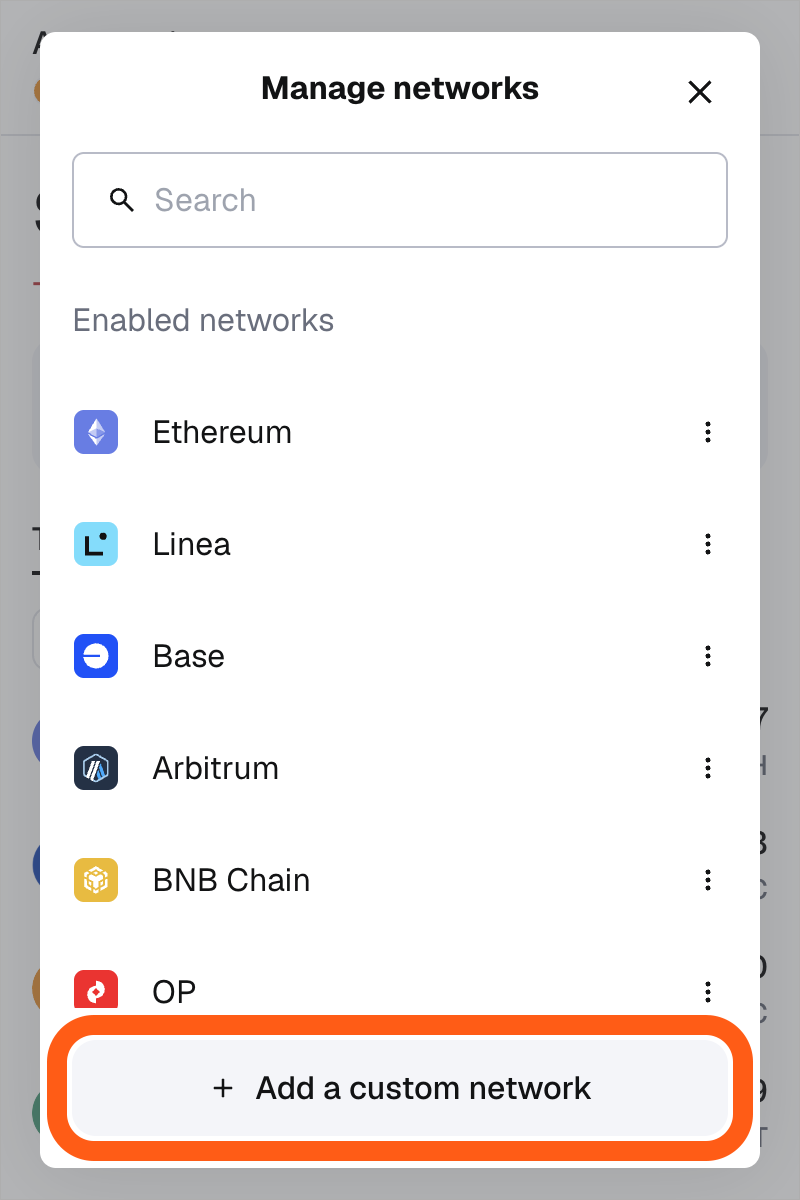
Select the account icon, then Settings, then Networks. Labels vary by version; in some builds the network list opens from the selector beside the account name.
2. Choose Add a network manually
Select Add a network, then Add a network manually. If a Bitgold page offered an Add to MetaMask button, it pre-fills the same five values; compare them with the table before you approve.
3. Fill in the fields
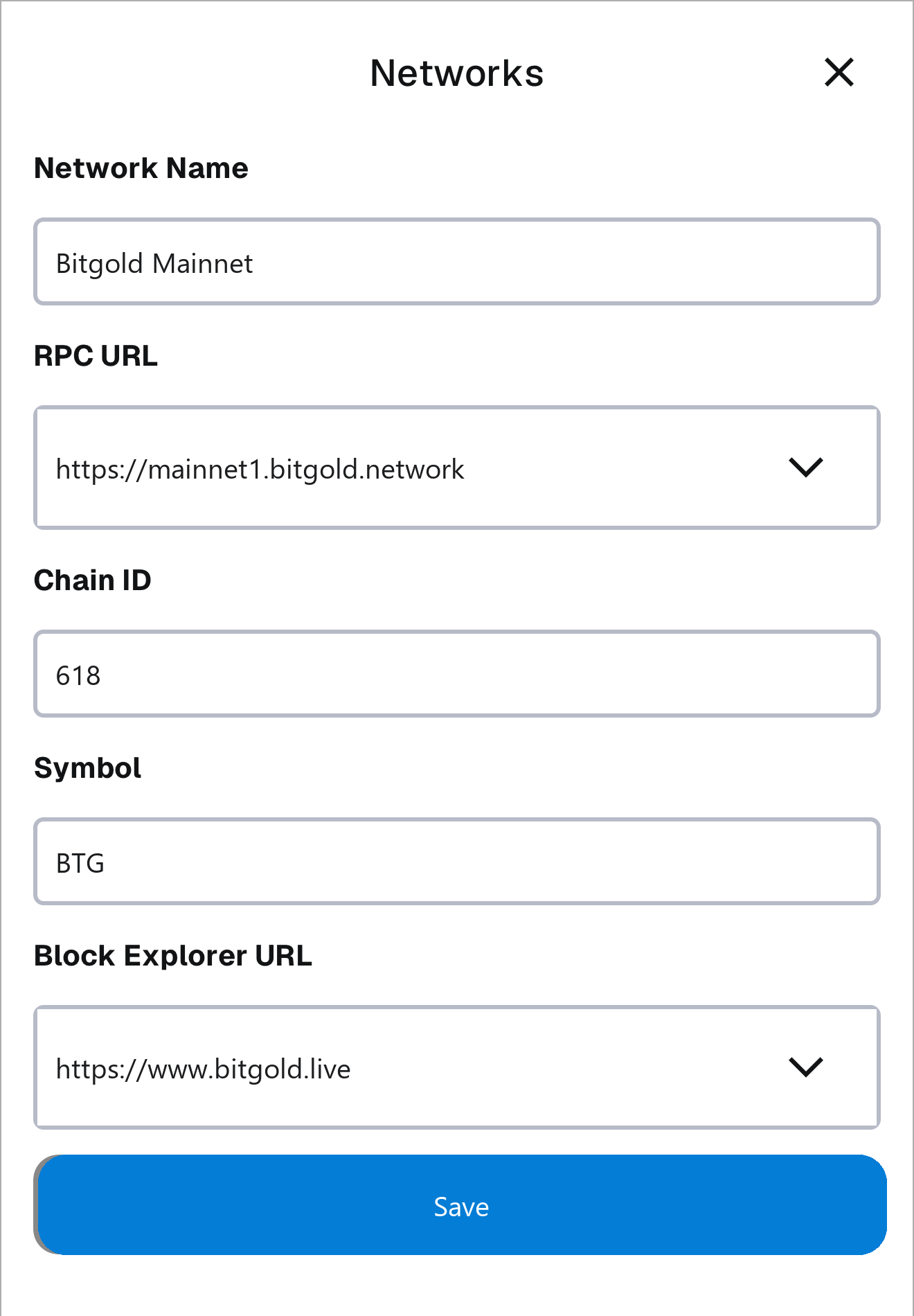
Enter the values exactly as shown. MetaMask labels the second field New RPC URL; paste the full address with https://.
Enter 618 as the chain ID; if a form asks for hexadecimal, use 0x26a. Type BTG as the currency symbol. The block explorer URL is optional for the connection but needed for the explorer links.
4. Save and switch
Select Save, then Switch to Bitgold Mainnet if MetaMask offers it. If it does not, open the network selector and choose Bitgold Mainnet from the list. Check the header before you continue.
Verify it worked
- The network selector shows Bitgold Mainnet and chain ID
618. - The account shows a BTG balance, and the same address on www.bitgold.live shows the same amount. An unused address correctly shows
0. - The explorer link in the network settings opens your address, not a different one.
- Switching to Ethereum and back to Bitgold keeps the same address.
Troubleshooting
| Problem | What to do |
|---|---|
| "Chain ID already exists" or "network already added" | Bitgold is already configured. Open the existing entry, compare the RPC with the table, and edit it rather than adding a duplicate. |
| "Could not fetch chain ID" or the RPC is unreachable | Check the URL for a missing https://, a typo, or a trailing space. Try mainnet2 through mainnet6, then check your connection or VPN. |
| The network is added but the balance is zero | Confirm the selected account and chain ID 618, then search the address in the explorer. If the explorer shows zero, the address holds no BTG. |
| The symbol or amount looks wrong | The symbol is a label; BTG uses 18 decimals and most wallets fix that. If the amount still disagrees with the explorer, remove the network and add it again. |
| A transfer went out on another network | Stop and identify the chain before sending again. Sent on the Wrong Network? (MetaMask) sets out the options. |
Next steps
- Add a Custom Token (MetaMask) — import a token that MetaMask does not detect.
- Sent on the Wrong Network? (MetaMask) — what to do when a transfer used the wrong chain.
- What Is a Custom Network? — the role of each field you entered.