Sent on the Wrong Network?
This page shows how to trace a transfer that used the wrong chain and which recovery paths exist. A confirmed transfer is not reversed by support, and this page does not promise recovery.
Who this is for
You approved a transaction on a chain other than the one the recipient expected, or a deposit has not arrived. Skip this page if the recipient can already see the funds on the right network.
Before you start
- The transaction hash from MetaMask's activity list.
- The network MetaMask shows for that transaction, and the network the recipient requires.
- The destination address, copied in full.
- A firm rule: do not send more funds to unlock, verify, or release a transfer, and never share the recovery phrase with anyone offering to recover it.
Steps
1. Read the network on the transaction
Open MetaMask's activity list and select the transaction. The details panel names the network and shows the chain ID.
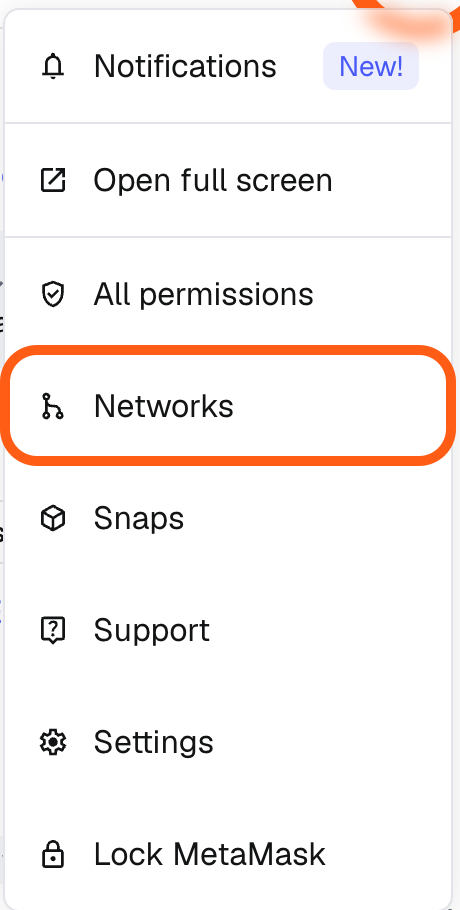
A transaction is recorded only on the chain that processed it. The Bitgold explorer cannot see a transfer made elsewhere, and another chain's explorer cannot see a Bitgold transfer.
2. Look up the hash on the right explorer
For a Bitgold transaction, open www.bitgold.live and paste the hash. For any other EVM chain, use that chain's own explorer. If the hash is not found, check that you copied all of it and that the explorer matches the network in the transaction details.
3. Switch networks before you assume the worst
MetaMask can show the same address on several chains when the wallet uses one recovery phrase. Use the network selector to switch to the destination chain, adding it first if it is missing. If the balance is there, the funds are not gone; they are on another ledger.
For a transfer you made to your own address on another chain, import or restore the same wallet in a client that supports that chain, then add the network profile and check the address. Returning value to Bitgold needs a bridge or an exchange, both of which charge fees and carry risk.
4. Contact the destination if it is an exchange
An exchange deposit address is controlled by the exchange. Open a ticket with the transaction hash, the chain, the amount, and the deposit address. The exchange's policy decides whether it will credit the deposit, and only the exchange can do it.
5. Accept the limits
If the destination belongs to a non-EVM network, such as Bitcoin, TRON, or Solana, or to an address that nobody controls, recovery is usually impossible. A burn address, a random stranger, and a contract with no withdrawal function all fall into that group.
Verify it worked
Recovery succeeded only if one of these is true:
- The destination address shows the expected balance on the destination chain's explorer.
- A bridge or exchange transfer back to Bitgold confirms, and BTG arrives at an address you control.
- The exchange confirms in writing, through its own support portal, that it will credit the deposit.
A direct message claiming the funds are "ready to release" is not confirmation.
Troubleshooting
| Problem | What to do |
|---|---|
| The recipient sees nothing | Send them the hash and the chain name. If this was an exchange deposit, open a ticket instead of messaging an account that claims to be support. |
| The explorer returns no result | Match the explorer to the transaction's network and paste the full hash. A partial hash or the wrong explorer returns nothing. |
| Your address exists on the destination chain | Switch MetaMask to that network and check the balance. Import the same wallet elsewhere if MetaMask cannot add the chain you need. |
| A "recovery expert" asks for a fee | Decline. No third party can reverse a confirmed transfer, and the fee is the scam. |
| Anyone asks for the recovery phrase | Refuse and end the conversation. No exchange, wallet vendor, or recovery service needs it. |
Next steps
- Add Bitgold Network (MetaMask) — confirm chain ID
618and the RPC before your next transfer. - What Is a Custom Network? — why a chain ID decides where a transfer is recorded.
- Sent on the Wrong Network? (TokenPocket) — the same problem on a phone.