Download TokenPocket
After this page you will have TokenPocket installed from an official source, a wallet that opens, and a recovery phrase written down offline.
Who this is for
First-time mobile users setting up a Bitgold wallet. Skip this page if TokenPocket is already installed and its recovery phrase is backed up.
Before you start
- A phone with access to the App Store or Google Play, and about fifteen minutes.
- Paper and a pen. A screenshot, a note in a cloud app, and a clipboard copy are not backups.
- A decision: create a new wallet, or restore one you already use. Restoring needs the recovery phrase of that wallet.
- The official TokenPocket site, www.tokenpocket.pro, as the starting point. TokenPocket is one example of an EVM wallet; the Bitgold network profile works in any of them.
No installation file from a chat
Do not install a TokenPocket file sent by direct message, posted in a group, or hosted on a download mirror. Those files are a common way to deliver a wallet that records your recovery phrase.
Steps
1. Install from the official listing
Open www.tokenpocket.pro and follow its link to the App Store or Google Play listing. Check that the developer name on the listing matches the one on the official site, and read the listing's own description.
Do not use a search-result ad; fake ads for wallet apps are common. How to Verify the Wallet App lists the checks in order.
2. Create a wallet or restore one
On first launch, choose Create Wallet or Import Wallet. The labels vary by version, and the same actions may sit under a plus sign or a wallet switcher.
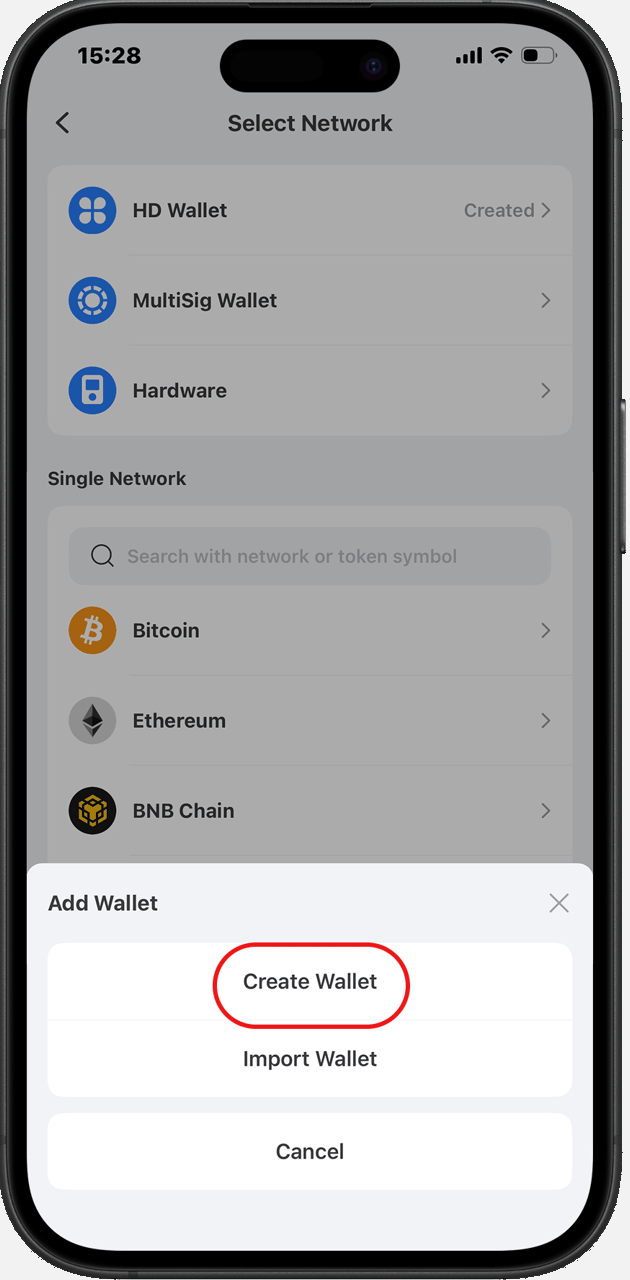
For a new wallet, set a name and an app password. That password unlocks the app on this phone; it does not restore the wallet on another device.
For an existing wallet, enter its recovery phrase or private key in the app itself. Never enter either one on a website, in a chat, or in a form that claims to "sync" or "upgrade" your wallet.
3. Back up the recovery phrase
Open the wallet's backup or security settings and reveal the phrase. Write the words on paper, in order, and store the paper offline. Complete any confirmation the app offers, then check the written copy against the screen word by word.
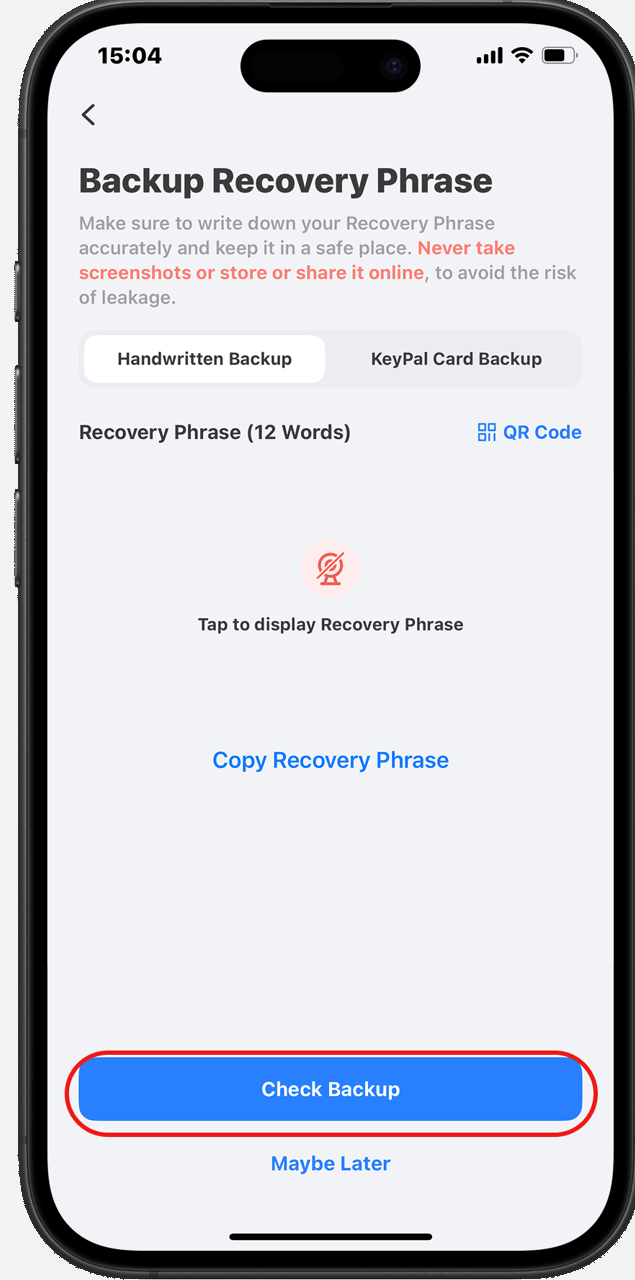
Official apps do not ask for the recovery phrase during an update, and no support agent needs it. Anyone who asks is preparing to take the wallet.
4. Confirm the wallet opens
Return to the wallet home screen. You should see the wallet name, an address, and an asset list. That address is the one you will use on Bitgold after the next page; it does not change when you add a network.
Verify it worked
- The app opens, unlocks with your password, and shows an account address.
- The written phrase matches the app's backup screen exactly, including order and spelling.
- There is no photo of the phrase in your gallery and no copy in a messaging app.
- You installed the app from the listing linked by the official site, not from a file or an ad.
Troubleshooting
| Problem | What to do |
|---|---|
| The store says the app is unavailable in your region | Check the official site for the platforms it currently lists. Do not install a file from a third party. |
| You forgot the app password | The password only unlocks this installation. Reinstall the app and restore the wallet with its recovery phrase. |
| The app rejects your phrase during restore | Check word order, spelling, and the word list language. A single wrong word produces a different wallet. |
| An update asks for your recovery phrase | Stop. Official apps do not ask during an update. Close the prompt and check the app's source through How to Verify the Wallet App. |
| You see a "Bitgold wallet" app | Treat it as a red flag. This help center uses established EVM wallets such as TokenPocket and MetaMask, and adds Bitgold to them as a network. |
Next steps
- Add Bitgold Network (TokenPocket) — connect this wallet to chain ID
618. - What Is a Custom Network? — what the five fields mean before you type them.